
You are playing your favorite music, and you realize that something is wrong: one AirPod is clear and vivid, and the other is silent and far off. This is an extremely widespread problem in 2025 and may occur due to various factors such as dust accumulation, variations in the sound balance, or battery variations.
The good news is that in the majority, you do not even have to hurry to Apple Support. This issue of uneven sound could be addressed in several smart ways within a few minutes.
We are going to discuss the real reasons, step-by-step solutions, advanced solutions and protection tips to ensure that your AirPods remain balanced over the years in this article.
Why One AirPod Becomes Quieter Over Time
Uneven sound between AirPods isn’t always a major fault — often, it’s caused by small issues that build up over time. Understanding these causes is the first step to fixing the problem.
1. Earwax or Dust Buildup
This is the most common reason one AirPod sounds quieter. Even a thin layer of wax can block the tiny speaker mesh, lowering the Volume by 20–40%.
2. Software Glitches
Sometimes, a simple bug in your iPhone, iPad, or Mac audio system can create uneven sound output. These glitches are temporary but annoying.
3. Volume Balance Settings
Apple devices have left–right audio balance controls, and if these are slightly shifted, one AirPod may sound quieter.
4. Battery Difference Between Pods
When one AirPod’s battery is lower than the other, it can affect sound quality and cause a noticeable difference in volume.
5. Moisture or Sweat Damage
If you use AirPods during workouts, sweat may enter the speaker grill, slightly muting the sound.
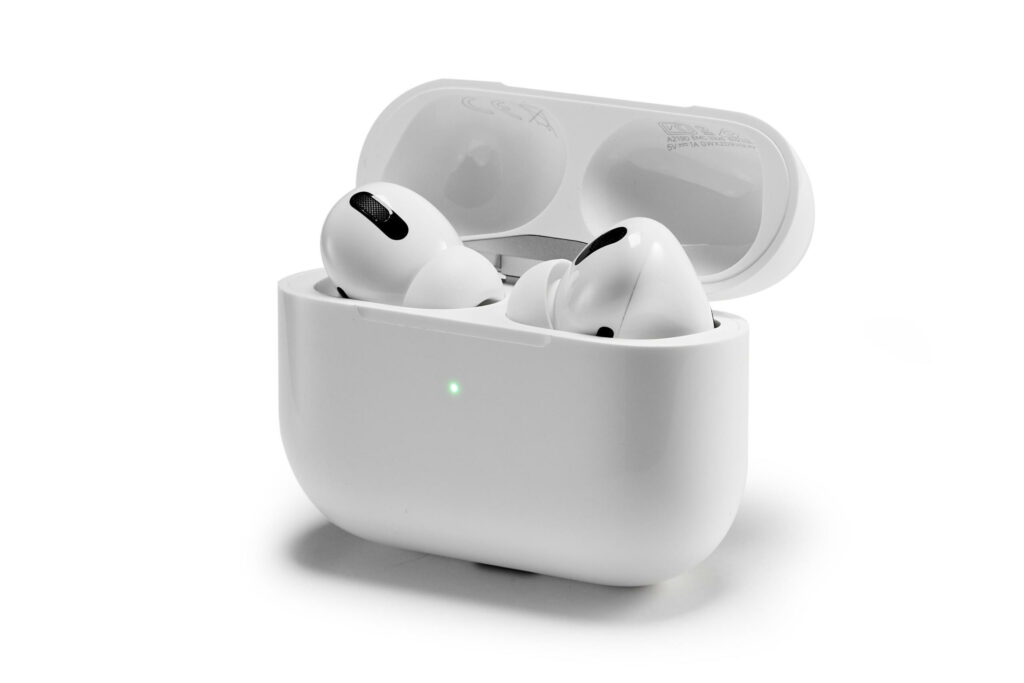
Step-by-Step Troubleshooting Guide to Fix Uneven AirPod Volume
Before replacing or repairing, try these simple troubleshooting steps. In most cases, they work instantly.
Step 1: Check and Adjust Volume Balance
- Go to Settings on your iPhone.
- Tap Accessibility → Audio/Visual.
- Under “Balance,” ensure the slider is exactly in the center between Left and Right.
Step 2: Clean the AirPods Properly
- Use a soft brush or microfiber cloth.
- Gently clean the speaker mesh and charging contact points.
- Avoid using sharp tools or liquids directly on the AirPods.
A quick 2-minute cleaning often boosts sound instantly.
Step 3: Re-Pair Your AirPods
- Go to Bluetooth settings.
- Tap the (i) next to your AirPods and select Forget This Device.
- Put the AirPods in the case, close it for 30 seconds, then reconnect.
Step 4: Calibrate Your AirPods and iPhone Volume
- Play music at 50% volume.
- Disconnect Bluetooth.
- Use the iPhone’s speakers, lower the Volume completely, reconnect, and then raise it again.
- This helps both AirPods sync sound levels properly.
Step 5: Try Another Device
If the problem exists only on one device, it’s a software issue. If it happens everywhere, the issue may be inside the AirPod itself.
Advanced Fixes If One AirPod Still Sounds Quieter
If the basic steps don’t work, don’t worry — Apple has added advanced audio settings in 2025 that can help.
1. Reset All Audio Settings
- Go to Settings → General → Transfer or Reset iPhone.
- Tap Reset → Reset All Settings (your data won’t be deleted).
- This removes any hidden audio conflicts.
2. Update Your AirPods Firmware
AirPods automatically update, but you can force them:
- Please put them in the case.
- Connect the case to a charger and keep your iPhone near it with Wi-Fi on.
- Wait 15–30 minutes for the firmware update.
3. Use “Headphone Accommodations”
- Go to Settings → Accessibility → Audio/Visual → Headphone Accommodations.
- Turn it on and set the sound balance to “Balanced Tone.”
- This feature boosts clarity and volume equally in both ears.
4. Test on Another iPhone or iPad
If one AirPod is still quieter, and it’s happening on every device, hardware damage may be the reason.
When to Replace or Repair Your AirPods: Real Signs It’s Not Just a Minor Issue
Sometimes, the issue isn’t temporary. Here’s how you know it’s time to consider repair or replacement.
1. Battery Degradation
If one AirPod dies much faster than the other, battery wear is likely. After around 2–3 years of use, this becomes common.
2. Hardware Failure Signs
- Crackling sound even after cleaning.
- No sound from one pod, even when fully charged.
- Uneven sound across multiple devices.
3. Repair and Replacement Costs in 2025
- Single AirPod replacement: around $69–89 USD, depending on the model.
- Charging case replacement: around $59 USD.
- AppleCare+ may cover some of these costs if still active.
If your AirPods are still under warranty, Apple will often replace the faulty piece for free.
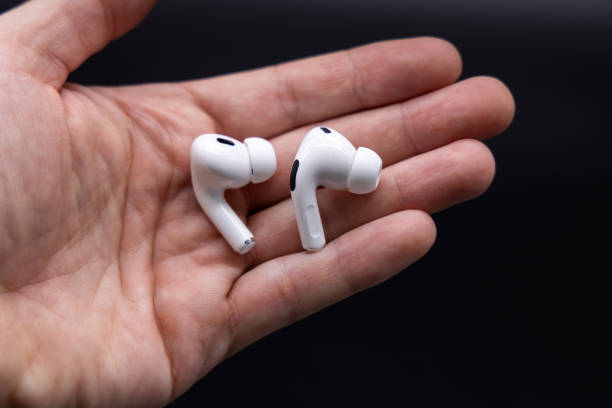
Pro Tips to Prevent One AirPod from Getting Quieter in the Future
Prevention is always better than repair. Here are some practical tips to make sure your AirPods stay perfectly balanced:
1. Clean Weekly
Gently brush away dust and wax at least once a week. A clean speaker mesh gives you clear sound for longer.
2. Charge Both Pods Evenly
Unequal charging habits cause battery health to degrade at different rates. Always charge both together.
3. Keep Firmware Updated
Updated firmware fixes sound bugs automatically. Leave your AirPods charging near your iPhone regularly.
4. Avoid Moisture
Don’t wear AirPods in heavy rain or during sweaty workouts without wiping them afterward.
5. Use Proper Fit
Loose-fitting allows air gaps, which can make one side sound quieter. Try different ear tips (for Pro models) for balanced audio.
Keep Your AirPods Sound Balanced and Last Longer
One of the AirPods sounds a little weaker than the other will be annoying/ most of the time; this will not be permanent. Starting with simple cleaning and resetting, through to sophisticated audio settings, these solutions that have been tested in 2025 can restore your sound to its original splendid equilibrium.
In case all the steps fail, there is no need to be in a hurry to communicate with Apple Support. Routine cleaning, equal access, and cleanliness can help you increase the lifespan of your AirPods and maintain the audio experience to the highest standards.
Pro Tip: Have your AirPods cleaned once a week and increase your audio balance after every few months – it is the simplest method to make sure that you will not have imbalanced sound in the future.
FAQs
What to do if one AirPod is much quieter than the other?
Clean the speaker mesh, reset Bluetooth, and check the audio balance in settings. If the issue persists, update the firmware or contact Apple Support.
How do you fix a muffled left AirPod?
Gently clean the mesh with a soft brush, reset the AirPods, and test on another device to confirm if it’s a hardware or software issue.
How to fix AirPods if one is lower than the other?
Go to Accessibility settings, balance the audio, clean both pods, and re-pair them. A quick calibration often restores even sound.
How to fix one earbud louder than the other?
Adjust volume balance, clean both earbuds, and reset audio settings. If the problem remains, update the firmware or replace the faulty earbud.