
Instagram will continue to be one of the most influential communication tools in the world in 2025, not only by sharing photos and reels, but also by facilitating direct messaging.
It’s not very pleasant to lose valuable Instagram conversations, particularly when the communication involves business-related questions, collaborations, or personal memories. Luckily, it is possible to retrieve deleted Instagram messages using reliable methods, despite recent updates from Meta this year.
This step-by-step tutorial will introduce you to all the operation techniques of 2025, clarify the new data recovery capabilities in Instagram, and ensure that you never lose your chats again in the future.
Why People Search “How to Recover Deleted Instagram Messages” in 2025
Since Instagram is part of the growing ecosystem of Meta, direct messages (DMs) are no longer considered informal conversations. With brand deals up to online friendships, you may lose precious information.
In 2025, users may accidentally delete chats or lose them due to app crashes, phone resets, or account syncing issues.
The privacy-first policies of Instagram also imply that once a message is deleted, it is permanently deleted unless it is recovered through official means. This is why it is essential to learn how to recover deleted Instagram messages in 2025, whether for personal or professional use.
Can You Really Recover Deleted Instagram Messages in 2025?
Yes — but with limits. Instagram does not have a trash button or an undo button for deleted messages. Meta, however, offers various routes to recovery via its built-in services and data export features.
As of 2025, you can recover deleted Instagram messages using:
- The official “Download Your Information” feature.
- Meta’s linked Facebook Messenger integration.
- Device-level cloud backup options (Google Drive or iCloud).
- Direct support requests to Instagram’s data recovery team.
Let’s explore each of these proven methods in detail.
Method 1: Recover Deleted Instagram Messages Using “Download Your Information” Feature
Instagram offers a built-in tool that allows users to download all their account data — including messages, photos, and profile information. This is the safest and most legitimate method in 2025.
Steps to Recover Deleted Messages:
- Open the Instagram app or go to Instagram.com.
- Tap on your profile picture and navigate to Settings > Privacy and Security.
- Scroll to “Download Your Information” and select Request Download.
- Enter your email address and password for verification.
- Select the “Messages” option or choose “All data” to include all data.
- You’ll receive an email from Instagram with a download link (usually within 24 hours).
- Open the file and look for “messages.json” — this contains all your recovered messages.
This file may look technical, but you can open it with any text editor or online viewer to read your message history.
Pro Tip: Regularly request your data, especially if you manage multiple Instagram accounts or frequently chat for business purposes.
Method 2: Retrieve Instagram Messages Through Linked Facebook Account (Meta Integration 2025)
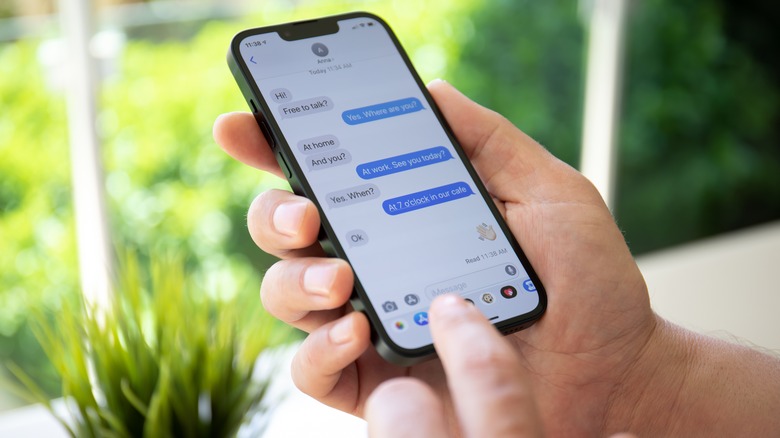
Since Meta fully integrated Instagram and Facebook Messenger, your DMs are often synchronized between platforms. This is one of the most overlooked recovery tricks in 2025.
If you connected your Instagram account to Facebook Messenger, your deleted DMs might still exist in your Facebook chat history.
Here’s how to check:
- Go to Facebook.com or open the Messenger app.
- Log in using the same Meta account linked to your Instagram.
- Open your chat list — some of your Instagram DMs may appear here.
- Search for the username or keywords related to the deleted conversation.
If messages were exchanged during cross-app chats, they’ll still be visible in Messenger.
This method works best for users who have enabled cross-platform messaging introduced by Meta after the 2023 update — and it remains active in 2025.
Method 3: Use Cloud Backup or Device Recovery Options (Android & iPhone 2025 Methods)
Sometimes, Instagram messages aren’t lost on Meta’s servers but rather on your device’s Storage. If you’ve enabled cloud backups, recovering them can be surprisingly easy.
For Android Users:
- Open Google Drive and navigate to the “Backups” section.
- Check if your phone backup includes Instagram data or app settings.
- Restore your device from the backup created before the messages were deleted.
For iPhone Users:
- Go to Settings > iCloud > Manage Storage> Backups.
- Find a backup that includes the Instagram app data.
- Restore your iPhone using that backup date.
Note: This method won’t work if backups were made after messages were deleted. However, in 2025, both Android 15 and iOS 18 support partial app data restores — meaning you can selectively recover Instagram data without having to reset your phone completely.
Method 4: Contact Instagram Support or Use the Meta Help Center
If none of the above methods work, you can contact Instagram directly for help. As of 2025, Meta’s Help Center includes a new Data Recovery Request feature.
Steps to Request Message Recovery:
- Visit help.instagram.com or open the Instagram Help section in your app.
- Select “Privacy and Security”> “Data Access”> “Message Recovery.”
- Please fill in the form with your username, registered email address, and message details.
- Submit your request and wait for an official response.
Instagram typically responds within 3–7 business days. If your deleted messages still exist on Meta’s servers, they’ll email you a downloadable link.
Keep in mind that Instagram can only recover messages that are not permanently purged from its servers — usually within a 30-day window.
Expert Tips to Avoid Losing Instagram Messages Again
Recovering deleted Instagram messages can be a time-consuming process. The best solution is prevention. Here are some professional tips to safeguard your data in 2025:
- Enable Regular Backups: Schedule automatic cloud backups through Google Drive or iCloud.
- Link Instagram to Facebook: Cross-platform synchronization helps preserve messages.
- Download Data Monthly: Use “Download Your Information” at least once every 30 days.
- Avoid Third-Party Apps: Many fake “Instagram message recovery” apps steal your login data — avoid them altogether.
- Update Your App: Instagram updates in 2025 include improved chat sync reliability and data safety features.
By following these tips, you’ll never have to panic about lost DMs again.
Final Thoughts
In most cases, it is possible to recover deleted Instagram messages; however, this requires time and the correct approach. Download Your Information is the best solution, but as functional as possible. Linked accounts are easier to recover thanks to the cross-app integration offered by Meta.
The increased privacy in 2025 is inherent to Instagram, as more users have more control over their content and are held more responsible for supporting it, given the social media platform’s requirement for increased data transparency.
Therefore, to save the following valuable conversation, ensure you save your account today before it’s too late. It is one of the most intelligent online behaviors one can develop in this networked age.
FAQs
1. Can I recover Instagram messages deleted more than a year ago?
No, Instagram only stores message data for a limited time. If a year has passed, recovery is only possible if you previously downloaded your data or backed up your device.
2. Is it safe to use third-party apps for Instagram message recovery?
No, most third-party recovery apps are unsafe and can compromise your account. Always use official Instagram or Meta tools for secure recovery.
3. How long does Instagram take to send my recovered messages file?
Instagram usually sends the data file within 24 to 48 hours after you submit a “Download Your Information” request. The link will arrive via your registered email address.