
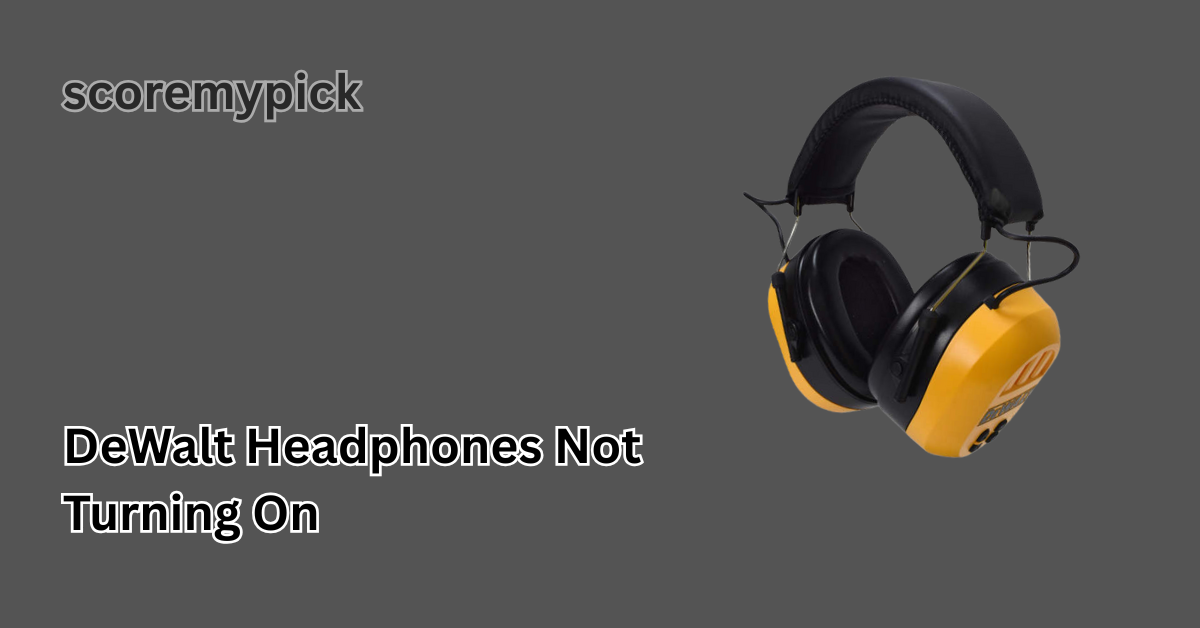
The DeWalt headphones have a reputation for being tough, having better sound and being durable. But the only difference is that high-performance devices also have problems.
The complaints by users that are common are that their DeWalt headphones do not respond to the key-on button. When you are in this irritating state of affairs, then you need not worry because it is a comprehensive guide that can ensure you identify and resolve the issue one step at a time.
Understanding Why Your DeWalt Headphones Won’t Turn On
It is necessary to know what may be causing your DeWalt headphones to fail to power on before delving into the fixes—an internal rechargeable battery, a power circuit and the firmware that powers these earphones.
When any of these components fail, either due to battery depletion, malfunctioning of the hardware or the software, the headphones might not respond even with pressing the power button.
Key reasons why your DeWalt headphones may not turn on include:
- Completely drained or damaged battery
- Faulty charging cable or adapter
- Firmware crash or system freeze.
- Power button malfunction
- Internal circuit or moisture damage
Knowing the root cause will help you apply the correct fix efficiently.
Common Causes Behind DeWalt Headphones’ Power Issues
Sometimes, the problem may seem serious but can actually be resolved with simple checks. Below is a breakdown of the most frequent reasons your DeWalt headphones fail to turn on, along with their explanations:
| Possible Cause | Description |
| Battery Drain | The internal battery may have discharged completely if left unused for too long. |
| Faulty Charger or Cable | Damaged or incompatible charging cables prevent proper power flow. |
| Software Glitch | Firmware bugs may cause the headphones to become unresponsive. |
| Moisture Exposure | Sweat or rainwater can short-circuit internal components. |
| Button Failure | Over time, the power button mechanism can wear out or jam. |
Understanding these causes will help you narrow down which area to focus on when troubleshooting.
Step-by-Step Solutions to Fix DeWalt Headphones Not Turning On
Follow these professional yet simple troubleshooting steps to revive your headphones:
1. Inspect and Charge the Battery Properly
- Plug your headphones into a verified power source using the original DeWalt charging cable.
- Let them charge for at least 30 to 60 minutes, even if no light appears.
- Check if the LED indicator turns on after some time.
If the LED doesn’t light up, try another USB port, charger, or cable to rule out a defective power source.
2. Perform a Manual Reset
A soft reset can often bring the headphones back to life if a minor firmware issue is causing the problem.
How to reset DeWalt headphones:
- Press and hold the power button for 15–20 seconds.
- Release the button and wait a few seconds.
- Try turning them on again.
If this doesn’t work, look for a tiny reset hole (available in some models) and use a paperclip to reset the device gently.
3. Check for Charging Port Damage
Dust, debris, or corrosion inside the charging port can prevent proper contact.
- Use a soft brush or compressed air to clean the port carefully.
- Avoid using sharp objects that can damage internal pins.
- Try connecting the cable again after cleaning.
If the port feels loose or wobbly, internal repair may be required.
4. Examine for Moisture or Physical Damage
If your headphones were recently exposed to rain, humidity, or sweat, moisture might have entered inside.
To dry them properly:
- Power off the device (if it responds).
- Place it in a dry, ventilated area for 24–48 hours.
- Avoid using heat sources like hair dryers, as high temperatures can damage internal circuits.
If the problem persists after drying, professional servicing is recommended.
5. Test the Power Button Function
Over time, dust and usage wear can affect button responsiveness.
Check the following:
- Please press the button firmly but gently; ensure it’s not jammed.
- If the button feels stuck, clean around it using a microfiber cloth or a small brush.
- If the button is physically broken, contact DeWalt support for replacement.
Battery and Charging Troubleshooting Guide for DeWalt Headphones
If your DeWalt headphones still won’t power on after basic steps, the issue might lie with the battery or charging components. Here’s a detailed guide:
| Symptom | Possible Cause | Recommended Fix |
| No charging light appears | Dead battery or bad cable | Try a new charging cable and adapter. Leave plugged in for an hour. |
| LED light flickers randomly | Firmware or charging circuit fault | Reset the device and update firmware if possible. |
| Charges but won’t turn on | Power control issue | Perform a manual reset; test button response. |
| Short battery life | Aging battery | Contact DeWalt for a battery replacement. |
If your headphones are under warranty, DeWalt can often replace the battery or provide a new unit without cost.
Resetting DeWalt Headphones to Restore Functionality
Resetting often resolves software crashes that prevent the device from powering on.
Here’s how to perform a complete reset (varies slightly by model):
- Disconnect the headphones from all paired devices.
- Hold the power + volume up buttons simultaneously for 10–15 seconds.
- Release once the LED flashes or you hear a tone (if applicable).
After resetting, pair your headphones again and test the power function.
If no response occurs after reset, the issue is likely hardware-based.
Firmware, Hardware, and Connection Fixes Explained
Sometimes, your DeWalt headphones not turning on might be due to firmware corruption or internal component failure.
Firmware-Related Issues
If your model supports firmware updates via a mobile app or computer connection, plug it in and check for available updates. Outdated firmware can prevent the device from booting.
Hardware Failures
If your headphones were dropped, exposed to impact, or water-damaged, internal circuits may be affected. Unfortunately, hardware issues are not user-fixable.
Bluetooth and Connection Factors
Sometimes the device is on but fails to indicate visually. Check your phone or PC’s Bluetooth list—if the headphones appear connected, they might already be powered on, but the indicator LED is faulty.
When to Contact DeWalt Support or Consider Replacement
If none of the above methods work, it’s time to reach out to DeWalt customer support.
Before contacting them, prepare the following details:
- Model and serial number of your headphones
- Date and proof of purchase
- Description of the issue and steps you’ve already tried
Support Options:
- Visit the official DeWalt website and navigate to the support section.
- Use the live chat or customer service contact form.
- If the product is under warranty, DeWalt may repair or replace it free of charge.
If your headphones are out of warranty, compare repair costs to the price of a new model. In some cases, upgrading to a newer DeWalt headset with improved battery life and waterproofing may be the better long-term solution.
Final Thoughts
Your DeWalt headphones are not working; you are likely to fix the issue. In the majority of instances, it is a drained battery, glitching firmware, or malfunctioning button.
After completing the steps to diagnose a headphone and the tips to follow during repairs, as discussed above, you can easily restore your headphone to working conditions without having to involve the assistance of a professional.
Should the problem continue, it is always good to contact DeWalt with the intention of obtaining the service or the replacement. To prevent any future power problems and ensure the long life of your headphones, regular maintenance, charging, and updating the firmware can be helpful.
FAQs
The way I reboot my DeWalt headphones?
To restart your DeWalt headphones, hold the power and volume up buttons simultaneously for approximately 15 seconds, and the LED light will flash. This cleanses software glitches and resumes normal function.
Why are my headphones not turning on?
At least 30 minutes of charging with a working headphones cable should be followed, followed by a manual restart. In case they do not boot up, check the charging port and battery and have a look.
How to turn on DeWalt headphones?
Hold the power button down for a couple of seconds until the LED indicator becomes light or until you hear a startup tone. Make sure that the battery is charged and then turn them on.
Why is my headphone not working?
Your headphones are not being turned on because either your battery has run out, or because of a broken cable, or because of a software problem. Attempt to charge them to the full capacity and do a reset to get them going.